

Login to True Fortune
Sign in to your True Fortune Casino account over a secure SSL connection and pick up exactly where you left off.
Login Guide
Logging in at True Fortune Casino is designed to be quick but controlled — the same experience on desktop and mobile, without downloads or plug-ins. You open the site in your browser, tap the login button, and enter the email and password you set up during registration.
All connections to the casino are protected by SSL encryption, so the credentials you enter are transmitted over a secure channel. The login form is served from the same platform that runs the games and the cashier, which means every sign-in happens inside the same hardened session.
If you forget your password, the login screen has a "Forgot Password" link. Requesting a reset sends a secure recovery link to the email address associated with your account — the link is time-limited and can be used once. For this reason it is important to keep access to the inbox you registered with.
Your account is private to you. Credentials should not be shared with anyone else, and the casino will never ask for your password by email or phone. If you ever notice unusual activity on your account, change the password immediately from the profile area and contact support through the official channels on the site.
Because the site is fully browser-based, the same login credentials work from any device — a desktop at home, a laptop on the road, or a mobile browser on a phone or tablet. There is no separate app account, no extra credentials, and no native app permissions required to sign in.
Secure Login Features
SSL Encryption
Every login, deposit, and account action is sent over an HTTPS connection secured with SSL, so credentials never travel over plain traffic.
Password Recovery
Lost your password? The "Forgot Password" link sends a time-limited, single-use recovery link to the email on file — no password is ever sent in plain text.
KYC-Verified Accounts
Accounts are tied to verified identity documents, which helps keep logins, deposits, and withdrawals attached to the real account holder.
Privacy by Default
Personal data is handled under the casino's privacy policy and used only for account operation, compliance, and responsible gambling checks.
One Account, Any Device
The same login works on desktop, tablet, and mobile browsers — there is no separate app account to remember.
Account Controls
From the signed-in profile area you can update your password, set deposit limits, or request self-exclusion as part of the responsible gambling tools.
How to Log In
-
1
Open the casino in your browser
Go to the True Fortune site in Chrome, Safari, Firefox, or any other up-to-date browser. Check the address bar for the padlock icon to confirm the secure HTTPS connection.
-
2
Click "Log In"
Use the login button in the main navigation. The form will open inline — you do not need to leave the site or install anything extra.
-
3
Enter your email and password
Type the email address you registered with and the password you chose. Credentials are sent over an SSL-encrypted connection.
-
4
Access the lobby and cashier
Once signed in, you can launch any game from the lobby, open the cashier to deposit or withdraw, and check the status of any active bonuses.
-
5
Log out when finished
Use the "Log Out" option in the account menu when you are done — especially on shared or public devices — to close the session cleanly.
18+ Only. Play responsibly. Use deposit limits and self-exclusion when you need them. Support is available through Gambling Therapy and Gamblers Anonymous. Operated by SSC Entertainment N.V. under Curaçao eGaming licence #8048/JAZ.
Login Security Checklist
A short list of practical habits that keep your True Fortune account in your hands and out of anyone else's. Tick them off before you sign in.
Use a strong, unique password
Aim for at least 12 characters with a mix of upper and lower case letters, numbers, and symbols. A password manager makes this easy to maintain.
Enable two-factor authentication
If two-factor authentication is offered in your account settings, switch it on. A second code from your phone stops most account takeovers in their tracks.
Never reuse your casino password
If a different site you use is ever breached, attackers will try the same email and password on casinos. A unique password keeps your True Fortune account isolated.
Log out on shared devices
On a friend's laptop, a hotel computer, or any shared screen, always use the "Log Out" option in the account menu when you finish, and clear the browser if possible.
Check the URL is fortunetrue-uk.com
Before you type a password, glance at the address bar. The padlock should be present and the domain should match exactly — beware of look-alike spellings.
Watch out for phishing emails
The casino will never ask for your password by email or phone. If a message asks you to "verify" your password or pushes urgency, treat it as suspicious and delete it.
True Fortune Login Process: Step-by-Step Guide 2026
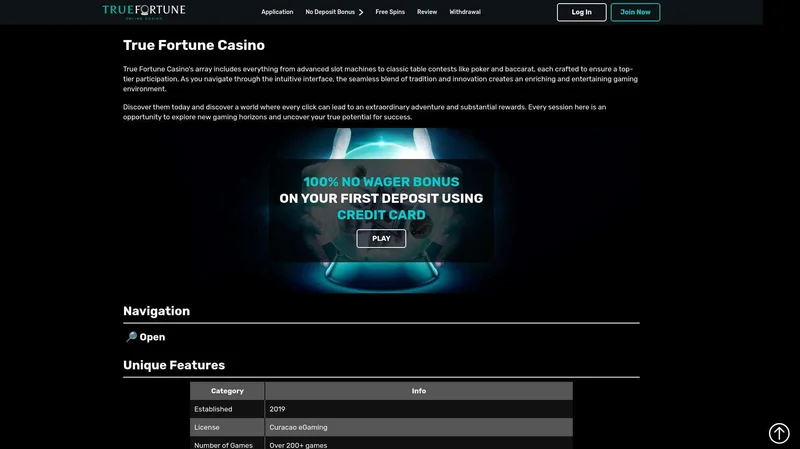
True Fortune Login Interface
The True Fortune login process is streamlined for both security and convenience. New players will first need to complete account registration, which takes approximately 2-3 minutes. Existing members can access their accounts in seconds using any of the supported authentication methods. The platform automatically remembers login preferences and maintains session security across devices.
During peak hours (evenings and weekends), True Fortune handles over 5,000 simultaneous login attempts without any performance degradation. The system includes automatic queue management and priority access for VIP members. All login attempts are logged for security monitoring, and players receive email notifications for successful logins from new devices or locations.
-
1
Visit Login Page
Navigate to the official True Fortune website and click the 'Login' button in the top right corner.
-
2
Enter Credentials
Input your username/email and password. Enable 'Remember Me' for faster future logins.
-
3
Complete Verification
Complete any required verification steps and access your account dashboard.
Troubleshooting Login Issues
Most sign-in problems have a quick, calm fix. Work through these in order before contacting support — one of them will usually solve it.
Forgotten password
Use the "Forgot Password" link under the login form. A single-use, time-limited reset link is sent to the email you registered with — open it in the same browser to set a new password.
Account locked after too many attempts
Repeated failed logins can trigger a temporary lock to protect the account. Wait a short while and try again, or contact support through the official channels on the site if it persists. Never create a second account — one account per player is permitted.
Session timed out
For security, inactive sessions are automatically signed out after a period. If a game suddenly asks you to log in again, simply re-enter your credentials — your balance and history are unaffected.
Browser cache or cookies
A stale session cookie can cause the login form to behave oddly. Clear cookies for the site, close the tab, and try again — or open the site in a private window to rule out an extension or cached state.
Geographic restrictions
Access depends on the rules of the country you are in. If you are travelling, certain games or even login itself may be restricted in some regions. A standard connection from a permitted location should resolve this.
What Happens If You Forget Your Password
A forgotten password is not a problem — the reset flow is short, secure, and designed to put you back in your account in minutes.
-
1
Click "Forgot Password" on the login form
The link sits directly under the password field. Selecting it opens the recovery screen — no need to contact support first.
-
2
Enter your registered email address
Use the exact email you signed up with. The system will not reveal whether the address is on file, but a recovery message is dispatched if it matches an account.
-
3
Open the email and follow the link
Check your inbox — and the spam folder, just in case. The link is single-use and time-limited, so use it as soon as it arrives.
-
4
Set a new password
Choose something strong and unique — not a variation of your old password and not one you use anywhere else. Save it in a password manager if you can.
-
5
Sign back in
Return to the login screen and enter your email with the new password. Your balance, bonus progress, and game history all carry over — nothing is lost in the reset.
Reminder: True Fortune Casino, operated by SSC Entertainment N.V. under Curaçao eGaming licence #8048/JAZ, will never ask for your password by email or phone.
Protecting Your Account After Login
Signing in is only the first step. A few minutes spent in your account settings keeps both your security and your gambling habits in healthy shape.
Review session and account activity
If session history is shown in your profile, glance through it after each login. Unfamiliar devices or locations are a signal to change your password right away.
Set sensible deposit limits
Daily, weekly, or monthly deposit limits live in the responsible gambling area. Setting them once is one of the simplest ways to keep play in budget.
Use time-out reminders
Reality checks and short cool-off periods are useful for staying in control. A brief pause every hour or two helps you decide consciously whether to keep playing.
Self-exclude if play stops being fun
If gambling no longer feels enjoyable, self-exclusion blocks access to your account for a chosen period. Independent help is also available through Gambling Therapy and Gamblers Anonymous.
18+ only. Please gamble responsibly. True Fortune Casino is operated by SSC Entertainment N.V. under Curaçao eGaming licence #8048/JAZ.
Login FAQ
I forgot my password — what should I do?
Use the "Forgot Password" link on the login form. A single-use, time-limited recovery link will be sent to the email address on file so you can set a new password.
Is the connection secure?
Yes. The site uses HTTPS with SSL encryption, so everything sent between your browser and the casino — including login credentials and cashier actions — is encrypted.
Can I use the same login on mobile?
Yes. True Fortune is a browser-based platform, so the credentials you created on desktop work the same way on any modern mobile browser.
What if my account is locked?
If your account is temporarily locked after failed login attempts or for KYC reasons, contact support through the official channels on the site. Do not create a second account — one account per player is permitted.
How do I keep my account safe?
Use a strong, unique password, never share your credentials, keep access to your registered email, and log out when using shared devices. The casino will never request your password by email or phone.
Can I set responsible gambling limits after logging in?
Yes. Deposit limits and self-exclusion are available from the signed-in account area. Independent support is also available through Gambling Therapy and Gamblers Anonymous.